How to Handle COI Requests Faster Without Losing Accuracy
Insurance quote automation uses software to take over the repetitive parts of quoting: reading submissions, capturing data, preparing ACORD forms, checking documents, comparing terms and drafting responses. The most dependable model keeps a licensed person in charge of every decision. For Canadian agencies, MGAs, brokers and carriers, that combination shortens turnaround while keeping supervision and consumer-protection duties intact. Acord AI builds its quoting workflow on that principle: automation prepares the work, and your team reviews it.
A quote moves through several stages before a client sees a number. Someone receives a request, usually by email. They pull the details from attachments, key them into a management system and one or more carrier portals, answer underwriting questions, review prior policies or loss runs, and send a response. Quote automation replaces the manual handling at those stages with software that reads, extracts, populates and drafts.
The term covers two quite different things, and it helps to separate them:
The Registered Insurance Brokers of Ontario (RIBO) interviewed brokers for its 2024 research on AI in property and casualty insurance. Those brokers described process automation uses such as robotic process automation and natural language processing for routine tasks, document work, data management, downloads and suspense logs. In other words, the work most brokerages want to automate is the clerical load around the quote, not the advice itself.
Not every step benefits equally. The table maps each stage to what software can do and what a person should keep.
| Stage | What automation can do | What stays with your team |
|---|---|---|
| Intake | Read incoming emails, sort requests by type, route them to the right person | Handling unusual or ambiguous requests |
| Data capture | Extract names, addresses, limits, exposures and dates from emails and attachments | Confirming extracted values against source documents |
| Form preparation | Populate ACORD applications from captured data | Reviewing answers before the form goes out |
| Document checks | Compare expiring policies, proposals or binders and flag discrepancies | Deciding which differences matter for the client |
| Quoting and remarketing | Prepare submissions for markets, organize returned terms | Selecting markets and recommending coverage |
| Response | Draft the reply with terms laid out clearly | Approving and sending the advice |
The pattern is consistent: software does the assembly and the first pass, and a licensed person makes the call.
A shared inbox is often the true starting point of a quote. Requests arrive mixed with certificate requests, endorsement changes, renewals and general questions. Automated triage classifies each message, pulls out the key details and places it in the correct queue. This matters because delays at this step are invisible: a quote request that sits unread for several hours is a lost opportunity that never shows in a report.
Rekeying is the main source of avoidable errors. A transposed digit in a revenue figure, a missing vehicle identification number or an outdated address can change the rating or cause a carrier to return a submission. Extraction tools read the source documents and populate the ACORD forms, so staff verify rather than type. Verification is faster than entry and easier to do consistently.
Quoting is rarely about one document. You may compare an expiring policy with a renewal quote, or several carrier quotes against each other. Differences in endorsements, exclusions, deductibles and sublimits are easy to miss when read side by side by eye. Automated comparison surfaces discrepancies against the source documents so the reviewer starts from a list rather than from a blank page.
Manulife’s Quick Quote tool shows how the model works at a large carrier. Launched in December 2024 for less complex cases, it automatically interprets and extracts key submission information, looks it up in the Underwriting Manual, consolidates findings into a preliminary assessment and drafts an email response. Manulife reports that this reduces the preliminary assessment from one day to 15 minutes, with a goal of quote responses within 45 seconds.
The same page is clear about who decides. Underwriters review case insights, validation alerts, background information and recommended ratings, then confirm or edit the assessment and set a confidence score before the explanation reaches producers. The structure is worth copying at any scale: automation produces a prepared file, a qualified person approves it.
A national carrier has resources that a ten-person brokerage does not, but the workflow logic is the same. Extract, check, draft, review, send.

The pressure comes from two directions. Clients expect fast answers, and staff time spent on data entry is time not spent on advice. The Financial Services Regulatory Authority of Ontario (FSRA) notes in its 2025-28 Annual Business Plan that financial-service entities are exploring AI for operational efficiency and consumer-facing tools, including AI-generated quotes. The direction of the market is visible even from the regulator’s planning documents.
For agencies and MGAs, the practical benefits to plan for are:
These are outcomes to measure in your own operation, not guarantees. The sections below explain how to set that measurement up.
Write down every step from the first email to the delivered quote for one line of business, for example commercial package or habitational. Note who touches the file, which systems they open and where files wait. Most teams find that waiting time and rekeying account for more than the underwriting thinking itself.
Choose a single high-volume, repeatable workflow. Record current figures before changing anything: average turnaround from request to quote, number of submissions per person per week, and the share of files returned for corrections. Without a baseline you cannot show improvement to partners, carriers or your own staff.
Decide in advance where a licensed person must look: extracted data before it populates forms, exceptions flagged by the system, and the final response before it goes out. Write these into the workflow rather than leaving them to habit. Acord AI’s platform includes human review for decision-making and configurable workflows, so these checkpoints are set as part of the process rather than added afterwards.
A tool that sits outside your agency management system creates a second place to copy and paste. Confirm which systems the platform integrates with, how data moves in each direction and who maintains the connection. Acord AI integrates with industry systems, which keeps captured data in the place your team already works.
Run the chosen workflow with a few experienced staff for several weeks. Ask them to log every case where the output needed correction and why. These logs show whether the problem lies in the source documents, the configuration or the use case.
Compare the pilot against your baseline. If turnaround and error rates improve, add the next line of business or the next workflow, such as certificate requests or policy checking, using the same review structure.
Compare options on criteria that affect daily work rather than on feature lists alone.
Fit with the quoting workflow. The platform should handle intake, form preparation, comparison and remarketing support in connected steps. Separate tools for each stage bring the copy-and-paste problem back.
Integration. Ask which agency management systems, rating tools and email environments it connects to, and what is needed from your IT staff.
Configurability. Agencies differ in how they route work, name carriers and structure checklists. A configurable workflow lets the tool follow your process instead of forcing you to follow its own.
Human review. Look for a defined review step with exceptions highlighted. This protects accuracy and supports your regulatory duties.
Coverage beyond quoting. Quotes sit next to policy checking, certificate requests and email handling. A platform that covers these under one roof lets you extend without starting a new evaluation. Acord AI’s modules include Inbox IQ for email triage, Forms IQ for ACORD form preparation, Policy IQ for policy checking and comparison, Quotes IQ for quoting and remarketing, Cert IQ for certificate requests and Ask AIVA as an insurance knowledge assistant.
Automation changes who does the typing, not who is responsible. RIBO’s November 2024 research stresses that supervision and consumer-protection obligations remain important even where tools are supplied by third parties, and it identifies a need to clarify responsibility for third-party tools. The same report warns that biased or inaccurate training data can lead to biased or factually incorrect outputs, and says that thoughtful supervision, including participation by licensed people or compliance experts, may help protect consumers.
Three practical habits follow:
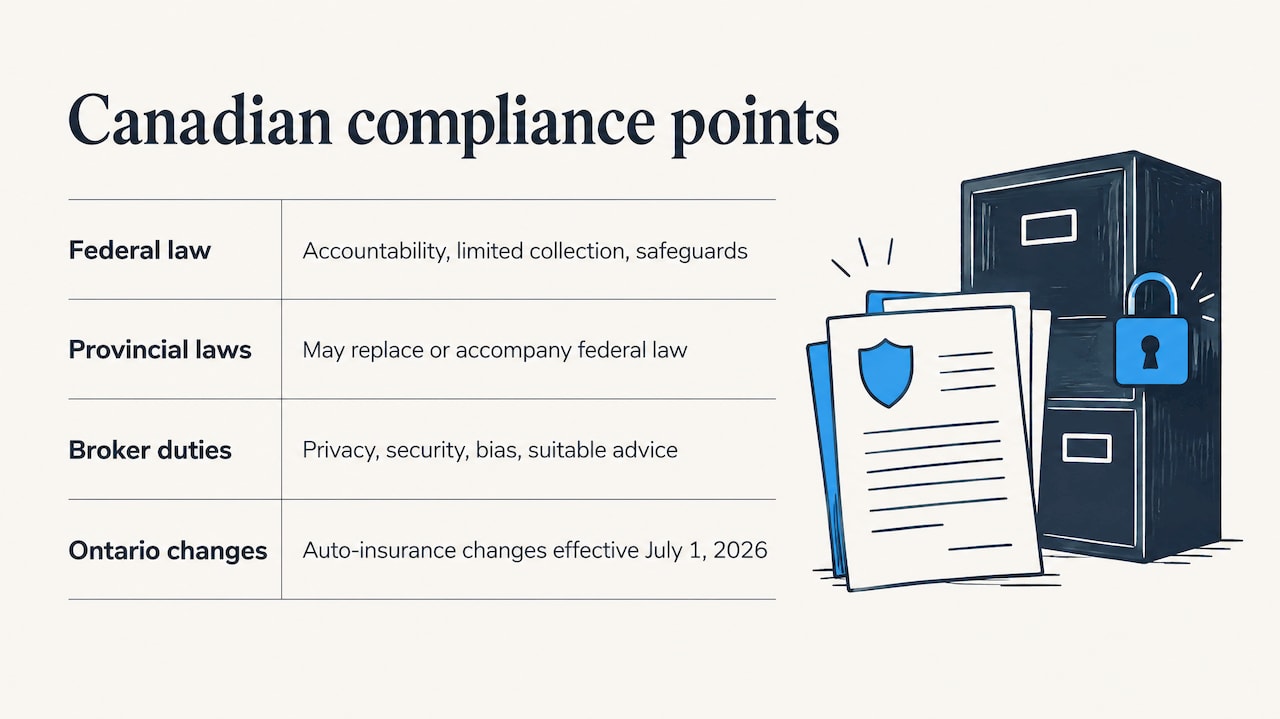
Quote files contain personal and sometimes sensitive information, so privacy law applies from the first email. Federal private-sector privacy law rests on principles that include accountability, limiting collection to what is needed and safeguarding information. The Office of the Privacy Commissioner of Canada sets these out in its PIPEDA fair information principles, and under the first principle an organization remains responsible for personal information under its control. Provincial laws, for example in Quebec, Alberta and British Columbia, may apply in place of or alongside the federal law depending on where you operate, so confirm which applies to your book of business with your compliance lead or counsel.
On the insurance side, RIBO’s research notes that existing broker obligations on privacy and security, discrimination and bias, and competent and suitable advice already capture important risks from broker use of AI. You do not need to wait for a new AI-specific rule to apply the standards you already follow. Rules also move: RIBO’s annual report mentions that it supported industry readiness for Ontario auto-insurance changes that came into effect on July 1, 2026, a reminder that rating and quoting rules shift and that your quoting workflow should be easy to update.
Use the baseline from step two and track four numbers monthly:
The last figure tells you how well the configuration fits your work. A falling edit rate means the workflow is learning your conventions through configuration; a flat one points to a particular document type or carrier format that needs attention.
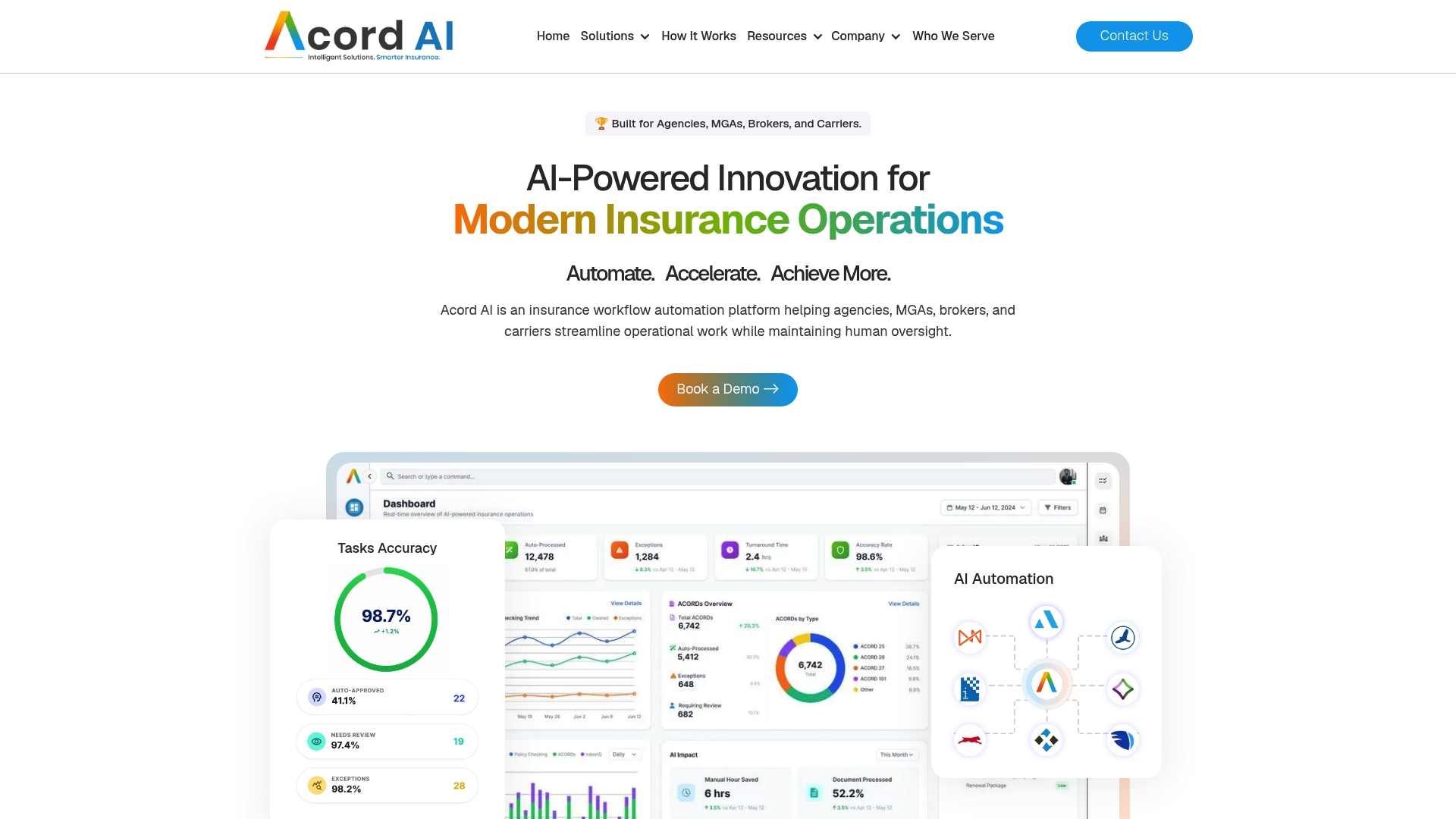
Acord AI is a workflow automation platform for agencies, MGAs, brokers and carriers. For quoting, Quotes IQ supports quoting and remarketing, and the Quotes IQ workflow guide describes how the workflow runs. Inbox IQ handles incoming requests, Forms IQ prepares ACORD forms, and Policy IQ checks and compares policies. Every module keeps human review in the loop, and the workflows are configurable to the way your team operates.
Access is by subscription after a demo. You can see all solutions on the Acord AI solutions page or go to acordai.ai to request a demo.
To see how quote comparison works in practice, read how Acord AI brings quote terms into view.
Quoting is a document problem before it is a pricing problem. Most of the hours in a quote go to reading emails, finding the right fields, populating forms and checking one document against another. Those tasks follow rules, which is why software handles them well.
Judgment is a different matter. Deciding which market suits a client, which exclusion matters and how to explain a coverage gap belongs to a licensed professional. We build Acord AI around that division: automation prepares the file, flags exceptions and presents terms clearly, and your people review and decide.
We also believe the workflow should follow your agency, not the other way round. That is why Acord AI offers configurable workflows and integrates with industry systems, so captured data lands where your team already works. The result we design for is less manual workload, higher accuracy and more time for the client conversation.
the author
No. A portal lets customers request prices themselves, mostly in personal lines. Workflow automation supports your staff by reading submissions, preparing forms and organizing terms, which suits commercial and complex risks where a professional still advises the client.
Yes. The benefit comes from removing repetitive handling, and small teams feel that time loss sharply. Begin with one workflow, such as ACORD form preparation or email intake, record your baseline, and expand once you see the result.
No. RIBO’s research states that supervision and consumer-protection obligations remain even when a third party supplies the tool. A review step where a licensed person confirms the output keeps responsibility where it belongs.
Bring one mapped quote workflow, your current turnaround and error figures, and a list of the systems your team uses. With those, you can judge integration and configuration against your real process.


One Platform. Smarter Insurance Operations. Start Your Journey Today.